
If you would like to see an Android version, please let us know.
Overview
The Diving Assist App gives coaches and guardians a focused, reliable toolkit for capturing and reviewing dives without the complexity of full editing suites. It is built to support clear technical feedback, safer poolside practice, and more efficient training sessions.
Capture picture-perfect dives, review them instantly, keep all clips local to your device, and help athletes progress with accurate, consistent visual feedback.
Key Features
Smart Capture
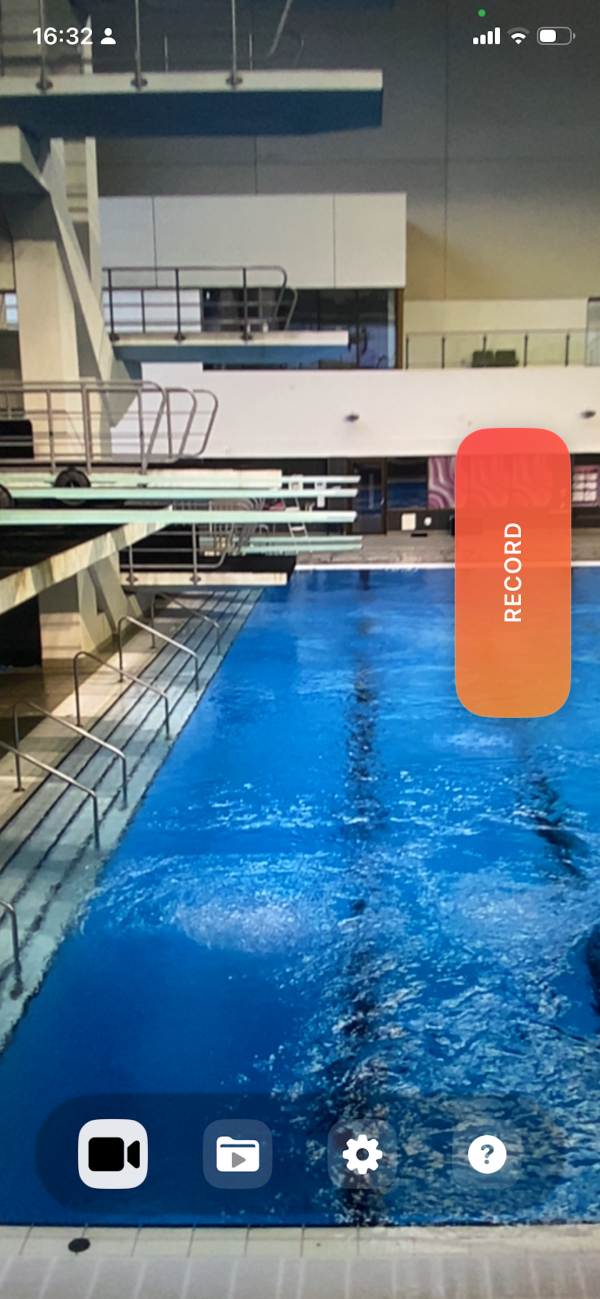
Record every attempt with confidence. Choose how long to film before the diver leaves the board and how long to record after take-off. Tap Record at the moment of take-off and let the app trim the clip automatically.
Automatic Trimming
Once you stop recording, the app prepares the clip using your timing settings. There is no need for manual trimming. Every dive is saved as a clean, ready-to-review video.
Stabilisation Controls
Select the stabilisation mode that matches your filming style. Auto stabilisation uses the strongest stabilisation available; Standard applies lighter correction for natural motion.
Slow-Motion Review
Adjust playback speed to support technical analysis. Use slow motion to examine take-off, flight position, rotation, and entry with greater clarity.
Comfortable Controls
Move the record button to whichever part of the screen feels most natural for your shooting position.
Dive Organisation
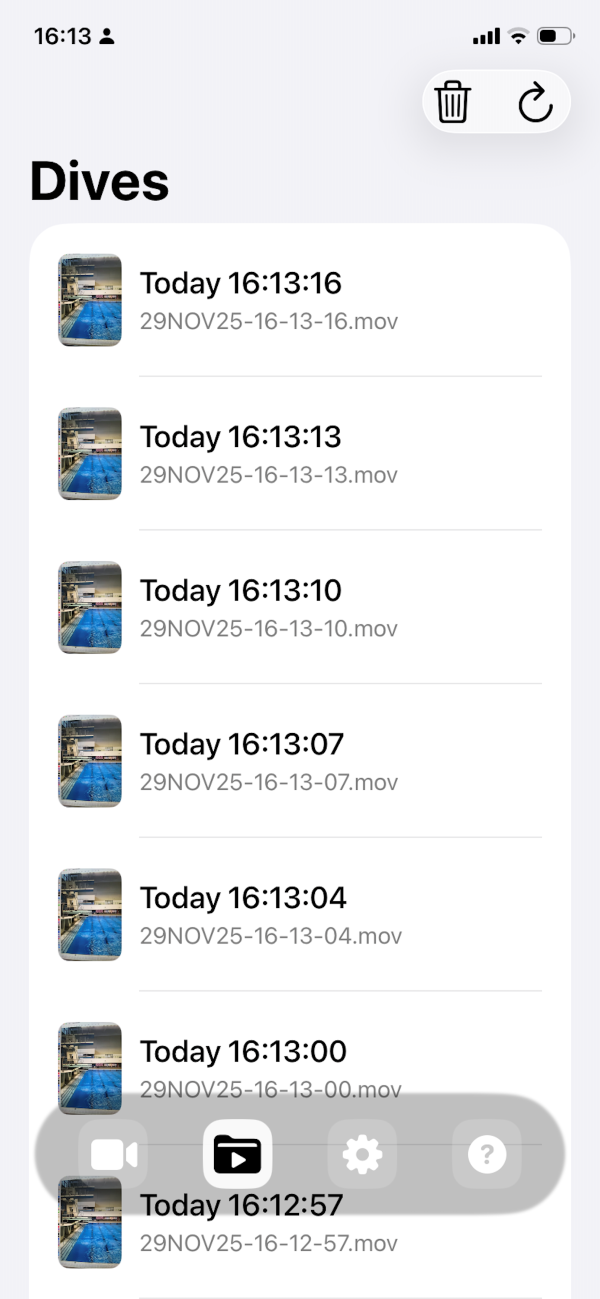
Use the built-in File Explorer to browse all recorded dives. Select any clip to view, analyse, save to Photos, or share safely with your team.
Compliance and Security
Diving Assist stores every clip locally on your device unless you choose to export or share it. No footage is uploaded automatically. Your videos remain protected by your iOS security settings. Built-in guidance reinforces best practice for safeguarding, consent, and safe poolside filming.
How It Works
Capture the Dive
Position the diver in the frame while they stand on the board. Press Record as they leave the end of the board and keep the camera trained on them until they enter the water. For your own safety, please maintain a secure grip on your device and keep a safe distance from the pool's edge.
Automatic Processing
Once the dive is captured, the app trims the footage using the pre-set timing values. Every clip begins and ends exactly where you need it.
Review and Analyse
Open the File Explorer to view all dives from the session. Slow down playback, study technique, and select clips to share or save.
Screenshots
Video Capture
Dives Folder
Future Development
We are gathering interest for an Android version. If your club would benefit from it, please let us know.